Room Redesign
Redesign Any Room Instantly
Upload a room photo and watch AI redecorate it — new furniture, wall art, lighting, even a fresh coat of paint — in 6 designer styles.
Choose the photo first. Your first monthly render is free after sign-up. No card.
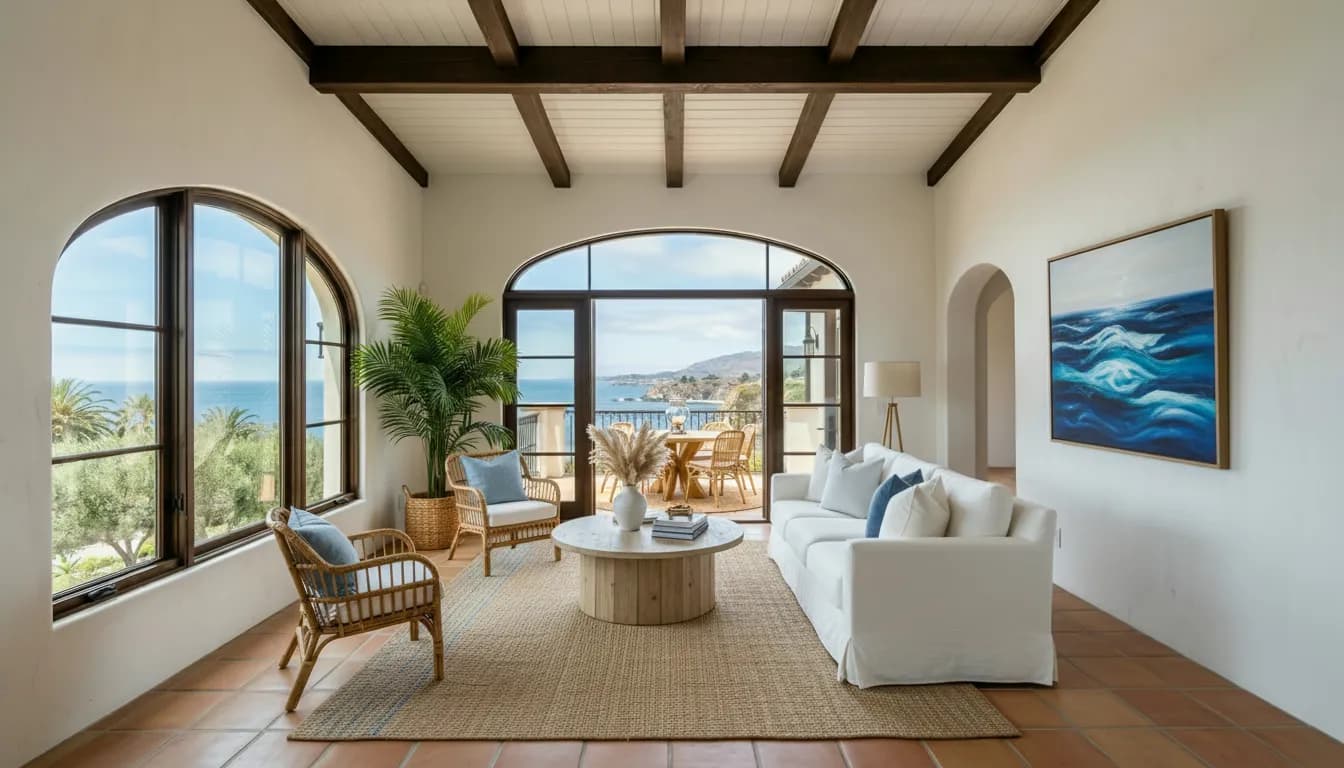
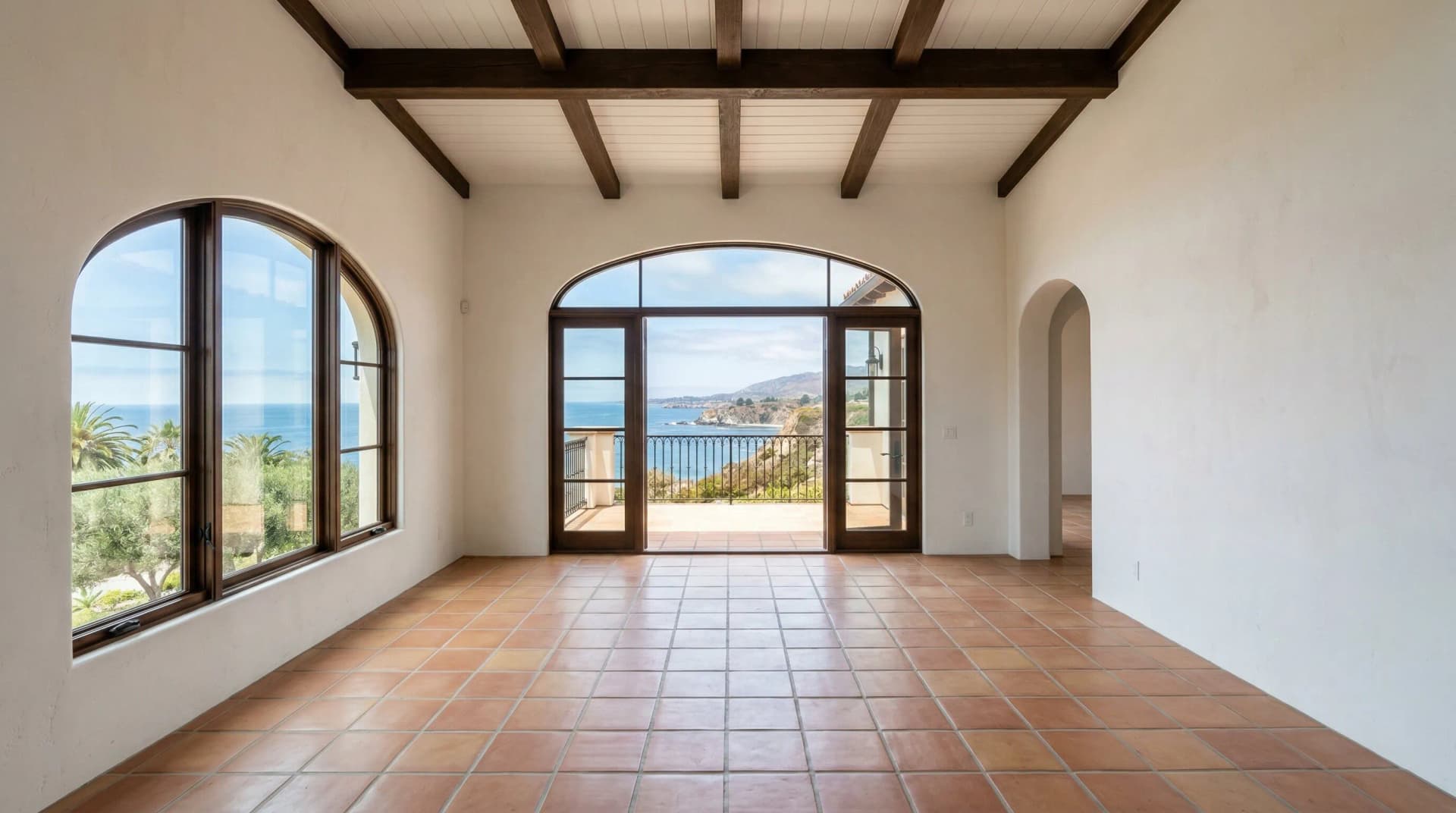
Choose your photo before the account wall. Your first monthly render is free; customized renders start at $2.99.
Last updated: March 2026· By Noah James
AI virtual staging software that works for real estate
AI virtual staging software transforms empty or cluttered room photos into photorealistic, furnished images ready for MLS listings — without renting a single piece of furniture. Vacant homes sit on the market 73% longer than staged ones, according to the National Association of Realtors' 2023 Profile of Home Staging report. Traditional physical staging costs $2,000 to $5,000 per month for furniture rental per HomeAdvisor (2025), plus delivery and setup. Human-designed virtual staging services charge $20 to $30 per photo with 24 to 48 hour turnaround. DrivewAI's AI staging software delivers the same photorealistic result in minutes, across 6 design styles, starting free.
What AI staging changes — and what it keeps
DrivewAI's AI home staging software works on both empty and furnished rooms. For furnished or cluttered spaces, it removes existing furniture and clutter first. Then it furnishes the room with photorealistic furniture, rugs, lighting, and decor that match your chosen design style. It keeps the room's architecture intact — walls, windows, flooring, built-ins, and fixtures stay exactly as they appear. The result looks like the room was professionally staged and photographed, not digitally manipulated. This is what separates AI staging from basic photo editing: the AI understands the room's depth, lighting, and perspective to place furniture realistically.
How AI staging compares to physical staging
Physical staging requires renting furniture, hiring movers, and coordinating access to the property. The furniture has to be returned when the listing sells, and you pay monthly rental fees the entire time. AI staging software eliminates all of this — you upload a photo, choose a style, and download MLS-ready images in under a minute. The tradeoff is that AI staging only works for photos, not for in-person showings. Many agents use AI staging for online listings and open house flyers while leaving the property vacant for physical tours. See our cost comparison tool to calculate your savings, or read our full breakdown of virtual staging costs for detailed pricing by method. Want to see how DrivewAI compares to other AI staging tools? Read our comparison of the best AI virtual staging software.
MLS compliance and disclosure
Most MLS systems require that virtually staged photos be clearly labeled as such. DrivewAI output is designed to be indistinguishable from real photography in quality, but you should always label staged photos in your listing description and follow your local MLS rules for virtual staging disclosure. Our AI staging software produces high-resolution output suitable for MLS upload at full quality.
6 design styles for every buyer demographic
Choose from Mid-Century Modern, Scandinavian, Warm Contemporary, Coastal, Modern Farmhouse, and Transitional. Each style is designed to appeal to a specific buyer demographic — Coastal works well for beach markets, Scandinavian appeals to younger buyers, and Warm Contemporary is the safest choice for broad market appeal. You can generate the same room in multiple styles and use the one that best matches your target buyer. Read our complete guide to virtual staging for real estate for more tips on style selection, or check out virtual staging before and after examples to see real results.
Best rooms to stage first
If you're on a limited budget, focus staging on the rooms buyers look at first: the living room, primary bedroom, and kitchen. These three rooms drive the strongest emotional response in listing photos and have the biggest impact on click-through rates. Living rooms set the lifestyle tone, primary bedrooms signal comfort and space, and kitchens are the room buyers judge most critically. With DrivewAI, you can stage all three in different styles in under five minutes and choose the combination that tells the best story for your listing. For vacant properties, read our guide to virtual staging for vacant homes.
AI staging for property managers and investors
Investors and property managers who flip or rent multiple properties each year get the most value from AI staging software. Instead of paying $20–$30 per photo at traditional virtual staging services — which adds up fast across dozens of listings — the Unlimited tier at $99.99/month covers unlimited renderings. That's enough to stage any number of properties per month across multiple rooms. The speed advantage also matters: when you acquire a new property, you can have listing-ready photos the same day, before any cleaning or cosmetic work is done.
AI staging plus curb appeal — your unique advantage
Most AI staging tools only handle interiors. DrivewAI is also a driveway rendering, landscaping visualization, and kitchen redesign platform — so agents can stage the interior, upgrade the driveway, transform the landscaping, and restyle the kitchen from one subscription. For listings where curb appeal is weak, showing buyers a staged interior alongside a redesigned exterior can dramatically change how they perceive the property.
Tips for getting the best AI staging results
For the highest-quality output from any AI staging software, photograph the room from a corner to capture the widest angle possible. Natural daylight produces the most realistic results — shoot during the day with curtains or blinds open. The AI works equally well with empty rooms, furnished rooms, or cluttered spaces — it clears and restages everything automatically. Avoid extreme wide-angle or fisheye lens settings, which can distort the AI's understanding of the room's proportions.
More from DrivewAI
6 styles
Explore every style
FAQ
Virtual staging questions
DrivewAI virtual staging includes one free render each month. Customized renders are $2.99 each, $9.99 for 5, or $99.99/month for unlimited. Traditional virtual staging services charge $20–$30 per photo, and physical staging costs $2,000–$5,000 per month.
Yes, but most MLS systems require that virtually staged photos be labeled as such in your listing description. DrivewAI output is high-resolution and MLS-ready — just follow your local MLS disclosure rules for virtual staging.
AI staging eliminates furniture rental, movers, and monthly fees. You upload a photo, choose a style, and get MLS-ready images in a few minutes. Physical staging is better for in-person showings, but AI staging is faster, cheaper, and lets you try multiple styles instantly.
DrivewAI offers 6 professional design styles: Mid-Century Modern, Scandinavian, Warm Contemporary, Coastal, Modern Farmhouse, and Transitional. Each is designed to appeal to different buyer demographics.
DrivewAI is designed for empty or mostly empty rooms. The AI works best with vacant spaces where it can place furniture and decor naturally. For rooms with existing furniture, results may vary.
Most staged photos are ready in under 3 minutes. Upload a room photo, pick a design style, and download your MLS-ready staged image almost immediately — no waiting 24–48 hours like traditional virtual staging services.