Virtual Staging for Vacant Homes: The Complete Guide for Agents
By Noah James
• 8 min read • Founder, DrivewAI
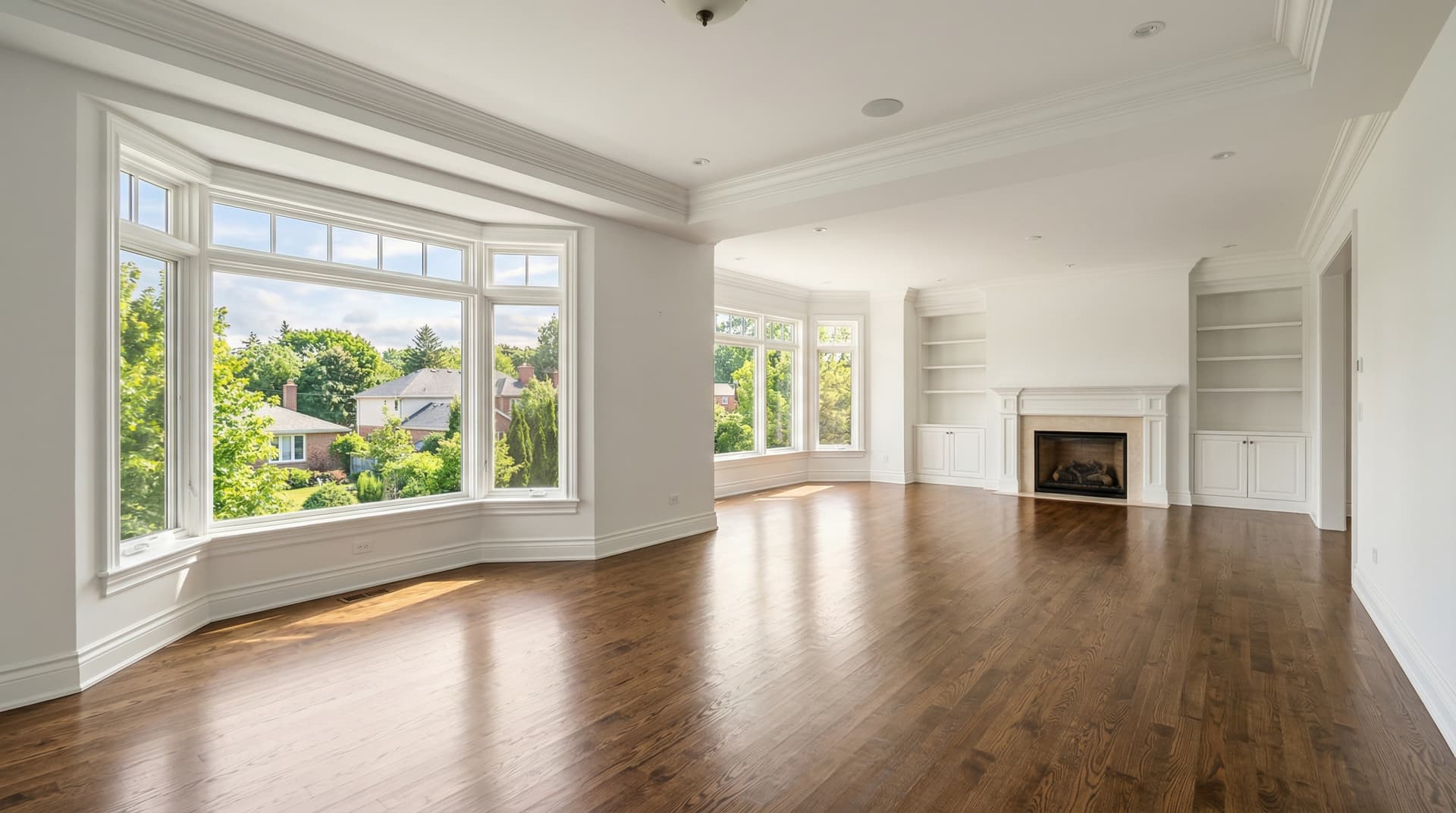
Vacant homes are the hardest properties to sell. Buyers walk through empty rooms and see problems — scuff marks on walls, dated flooring, rooms that feel smaller than they are. They don't see potential. They see work.
The data backs this up. According to the Real Estate Staging Association, staged homes sell 73% faster than unstaged ones. The National Association of Realtors reports that 90% of buyers start their search online, where empty room photos consistently underperform furnished ones in click-through rates.
Virtual staging for vacant homes solves this at a fraction of the cost of traditional staging. Instead of spending $2,000–$5,000/month on furniture rental, you upload empty room photos and get back photorealistic staged images in minutes. Here's how to do it effectively.
Why Vacant Homes Need Staging
Three specific problems hit vacant homes harder than occupied ones:
Empty rooms feel smaller. Without furniture to provide scale reference, buyers misjudge room dimensions. A 14x16 living room feels generous with a sectional sofa and coffee table. The same room empty looks like it might not fit their furniture. This is a perception problem that staging fixes instantly.
Buyers can't visualize the space. Most people cannot mentally furnish a room while walking through it. They see blank walls and bare floors and feel nothing. Staging creates an emotional connection — "I could live here" — that empty rooms simply can't trigger.
Online listings get fewer clicks. Empty room photos in MLS listings get scrolled past. Furnished rooms stop the thumb. When 90% of buyers start online, your listing photos are the first filter. Empty photos fail that filter.
Which Rooms to Stage in a Vacant Home
You don't need to stage every room. Focus budget on the rooms that drive buying decisions:
Always stage: - Living room — This is the hero shot. It appears first in the listing and sets the emotional tone. - Primary bedroom — Buyers need to see themselves relaxing here. An empty bedroom with outlet covers and carpet marks does the opposite. - Dining room — Especially in homes where it's a separate, defined room. An empty dining room looks like wasted space.
Stage if possible: - Home office / flex room — Remote work has made this a top-3 buyer priority. Staging a spare bedroom as an office adds perceived value. - Second living area / family room — In larger homes, this reinforces the space and lifestyle. - Breakfast nook / casual dining — If the kitchen has a defined eating area, light staging helps.
Skip staging: - Bathrooms — Clean towels and a candle in the actual photo work better than AI-generated bathroom decor. - Laundry rooms — Not worth the credit. - Garages — Buyers care about garage size, not garage aesthetics. - Exterior — Virtual staging doesn't apply to outdoor spaces, but consider AI driveway rendering or AI landscaping visualization if curb appeal is weak.
For a standard 3-bedroom vacant home, 4–5 staged photos cover the essential rooms. On DrivewAI's Pro plan, that's roughly $1.50 worth of staging credits.
Best Staging Styles for Vacant Homes
The style you choose should match the property's price point, location, and likely buyer profile. Here's what works best for vacant homes specifically:
$200K–$500K (starter homes and condos): Go with Scandinavian or Warm Contemporary. These light, airy styles make smaller rooms feel larger and photograph cleanly under the mixed lighting typical of this price range. The neutral palette doesn't clash with existing paint colors — important when the seller isn't repainting.
$400K–$800K (suburban family homes): Warm Contemporary or Transitional are the safest picks. They appeal to the widest buyer demographic and read as "move-in ready" rather than "designer showpiece." These styles work particularly well in open-concept floor plans.
$600K–$1.2M (upscale suburban): Mid-Century Modern or Modern Farmhouse depending on the architecture. Mid-Century for clean-lined contemporary homes, Farmhouse for traditional builds. Both styles are specific enough to feel intentional without being polarizing.
$1M+ (luxury): Warm Contemporary or Transitional with the cleanest edit controls. At this price point, the staging needs to match the aspiration. Generic staging looks like a budget compromise — the opposite of what luxury buyers expect.
All 6 styles are available on DrivewAI's staging tool. Try 2–3 on the same room to find the best match.
AI vs. Traditional Staging for Vacant Homes
Traditional physical staging has been the standard for vacant homes for decades. A staging company brings in rented furniture, sets it up, and removes it after the home sells. It works — but the economics have shifted dramatically.
| Factor | Physical Staging | AI Virtual Staging |
|---|---|---|
| Cost per listing | $2,000–$5,000/month | $1.50–$15 total |
| Setup time | 1–2 days + scheduling | Under 60 seconds |
| Style changes | Not practical once set up | Unlimited — try every style |
| Monthly renewal | $800–$1,500/month to extend | No ongoing cost |
| Buyer perception | Furniture visible during showings | Photos only — home shown empty |
The biggest trade-off: physical staging means buyers see furniture during the showing. Virtual staging means the listing photos are staged but the in-person showing is empty. For most properties under $1M, the listing photos matter more than the showing experience — buyers have already formed their opinion from the photos before they walk in.
For luxury properties where the showing experience is paramount, physical staging still wins. For everything else, the cost difference is too large to justify.
Common Mistakes with Virtual Staging
Over-staging. More furniture isn't better. AI staging tools can pack a room with decor, but buyers need to see the floor plan, not a furniture showroom. Aim for the minimum furniture that defines the room's purpose and scale.
Wrong style for the market. Industrial Modern staging on a traditional Colonial in a suburban family neighborhood creates dissonance. Match the staging style to the home's architecture and the likely buyer's taste.
Staging damaged rooms. Virtual staging adds furniture — it doesn't hide problems. If the walls need painting or the carpet is stained, those issues will still be visible in the staged photo. Fix the cosmetic issues first, then stage.
Forgetting disclosure. Always disclose virtual staging in your MLS listing. "Photos have been virtually staged to illustrate the home's potential." Most MLS systems require this, and failure to disclose can result in fines and trust issues.
Only staging one style. The fastest way to find what works is to try multiple styles on the same room. DrivewAI renders each style in under 60 seconds. Run 3 styles on the living room and pick the one that makes the space feel largest and most inviting.
Getting Started with Virtual Staging for Vacant Homes
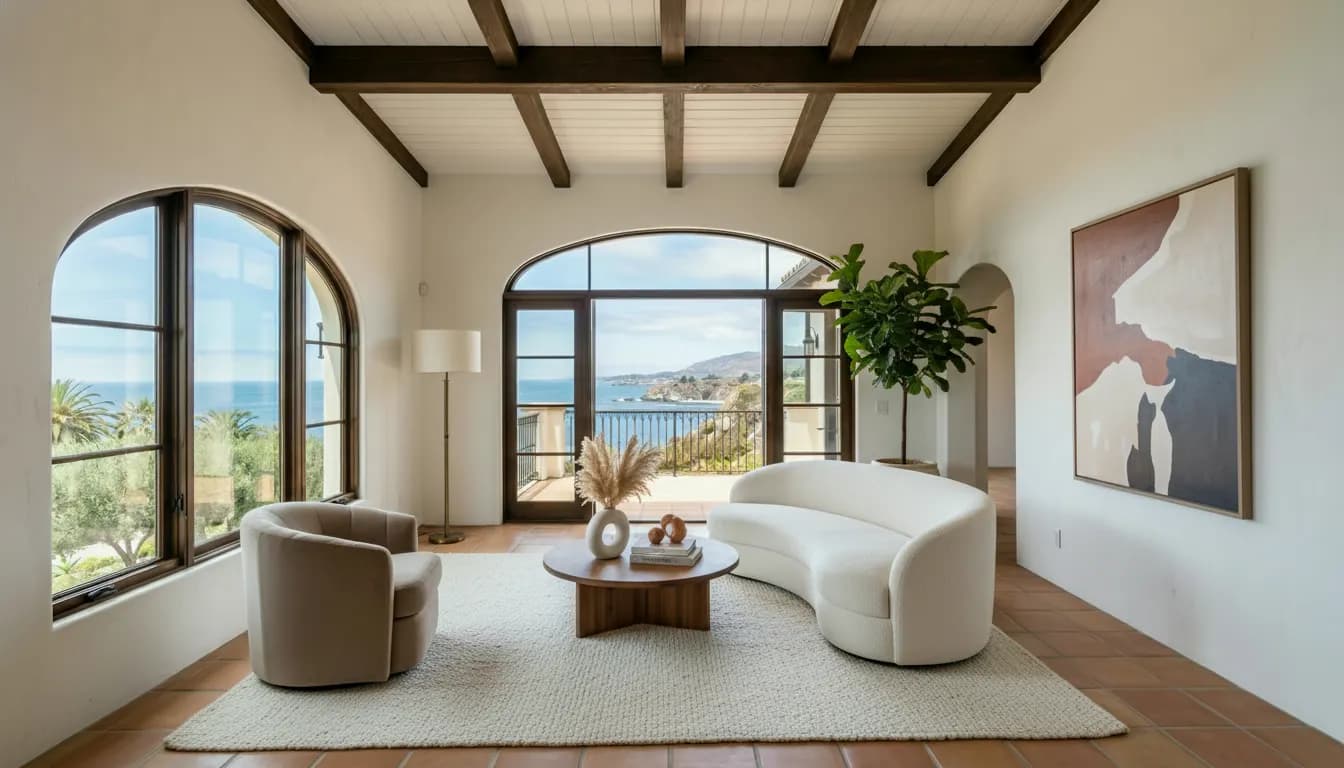
The most effective approach is to start with your next vacant listing. Take a clean, well-lit photo, upload it to DrivewAI, and use the free monthly image as a quality check before comparing 2–3 paid staging styles.
For agents managing multiple vacant properties, the Pro plan at $99.99/month covers unlimited staged images — enough to fully stage any number of homes per month.
The key insight is that virtual staging for vacant homes isn't an optional marketing upgrade anymore. It's baseline. Your competing listings are already doing it. The question is whether your vacant listing photos are competing with their staged ones — or sitting empty while buyers scroll past.
For cost breakdowns across every staging method, see our guide on virtual staging costs. For a deeper look at the staging process and style options, check out virtual staging for real estate.
About the author
Noah James
Founder, DrivewAI
Noah James is the founder of DrivewAI, an AI home visualization platform that helps homeowners, contractors, and real estate agents preview renovations before committing. He built DrivewAI to close the gap between inspiration and execution in home improvement.
His writing focuses on practical renovation decision-making, material comparisons, and how AI visualization tools are changing the way people plan projects — from driveway replacements to full interior staging.
See your rooms staged by AI
Upload a photo and get AI renderings across all styles. First one free.
Try DrivewAI Free