How to Redesign Any Room With AI Before Buying a Single Piece of Furniture
By Noah James
• 9 min read • Founder, DrivewAI
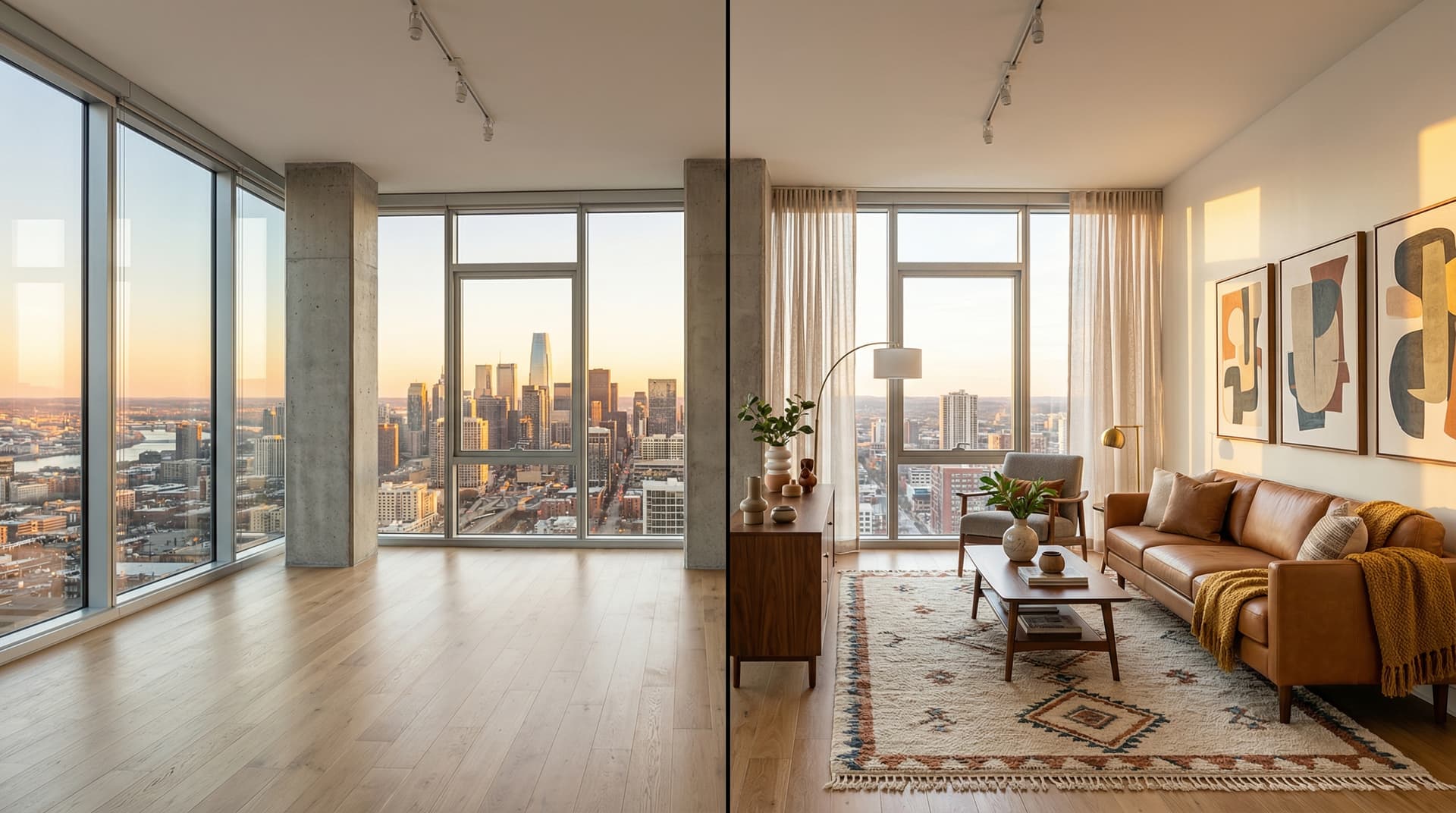
You walk into a furniture store with a vague idea of what you want. Two hours later, you walk out with a sofa that looks great on the showroom floor. A week after delivery, you realize it's the wrong scale for your living room, the color clashes with your rug, and the style doesn't match the floating shelves you just installed. Return policies are tight, restocking fees are real, and now you're stuck.
This is the most expensive problem in home redecoration, and it happens to almost everyone. Industry surveys from Houzz consistently show that homeowners regret at least one major purchase on every decor project — most often a sofa, a dining table, or a rug that looked right in the showroom but wrong at home. AI room redesign tools solve this by letting you preview the entire room in your exact space, with photorealistic accuracy, in under a minute.
Here's how to use AI room redesign to make confident decor decisions — and why it's the single highest-leverage tool a homeowner has added to their process in the last decade.
What "AI Room Redesign" Actually Means
AI room redesign takes a photo of your real room and generates a version of that same room styled in a new design aesthetic. Crucially, it preserves the architecture — walls, windows, doors, floors, ceiling, and the exact camera perspective — while swapping out the furniture, decor, lighting, and optionally the wall paint.
Think of it as a virtual interior designer who works in 60 seconds instead of 6 weeks, and who costs $0 instead of $5,000 for a consult.
The technology behind modern AI redesign tools like DrivewAI's staging and redesign tool uses image editing models (similar to the ones powering Photoshop's generative fill and Google's Magic Editor) trained specifically to understand room architecture. The model identifies what can be moved (furniture, art, lamps, curtains) versus what must stay (walls, windows, built-ins, ceilings) and only edits the movable elements.
Why Preview-Before-Buying Beats Traditional Decorating
Traditional decorating follows a painful linear path: browse showrooms → order samples → wait for delivery → commit to purchases → discover mistakes → live with them or eat the return fees. The American Society of Interior Designers has documented that the average homeowner takes 3–6 months to complete a single-room refresh this way, with an average of 2.3 returned items per project.
AI room redesign inverts the process. You start with the finished look, then shop toward it:
1. Upload a photo of the room you want to change 2. Generate 3–6 different style options on that room in 5 minutes 3. Pick the direction that fits your taste and the architecture 4. Use the rendering as a shopping target — every item you buy has to move the room closer to that image
This reversal eliminates the guesswork. You're not imagining how a beige boucle sectional will look against your dark walnut floors — you've seen it. You know if the scale is right. You know if the color temperature works. The rendering becomes a tangible reference you can hand to a partner, a designer, or yourself at 11pm when you're tempted to impulse-buy a chaise lounge.
The 6 Styles Worth Trying on Your Room
Not every design style photographs well across every room type. Based on thousands of redesign generations on the DrivewAI platform, here's how the 6 staging and redesign styles perform:
Warm Contemporary — Plush oversized sofas in cream and taupe, boucle and velvet textures, terracotta accents. The most universally flattering style. Works in 85% of rooms regardless of architecture or natural light. Start here if you're unsure.
Transitional — Classic furniture silhouettes with clean lines. Reads as "upscale but approachable." Ideal for suburban homes and rooms with traditional architectural details like crown molding or wainscoting.
Scandinavian — Light oak, white-and-gray palette, cozy knit throws. Makes rooms feel 10–15% larger in photos thanks to the bright palette. Strong choice for small living rooms, condos, and rooms with limited natural light.
Mid-Century Modern — Tapered legs, warm walnut, bold accent colors (mustard, olive, burnt orange). Distinctive shapes make the redesign feel intentional rather than generic. Works best in rooms with clean wall lines and minimal ornament.
Coastal — Relaxed linen, rattan accents, jute rugs, soft blues. Tests surprisingly well in landlocked markets because it reads as aspirational and breezy, not thematic.
Modern Farmhouse — Slipcovered sofas, reclaimed wood, black metal fixtures. Strongest in suburban and rural settings. Appeals to buyers who want warmth without rustic kitsch.
The practical move is to generate 3 styles — Warm Contemporary, Transitional, and one wildcard (Mid-Century or Scandinavian) — then decide from the rendered results. Discovering you love Mid-Century in your exact room is worth more than reading ten Pinterest boards about it.
How to Shoot a Room for Best Redesign Results
The quality of your AI redesign is directly tied to the quality of your input photo. A few practical rules from professional real estate photographers:
Shoot wide and level. Use the widest lens your phone offers. Hold the phone at chest height (roughly 4 feet), keep it perfectly level (use your phone's built-in level grid), and stand back as far as the room allows — ideally in a corner shooting across the room diagonally.
Declutter before shooting. Remove personal items, random clutter, cleaning supplies, and anything a moving crew would carry out. The AI will remove these automatically, but clean input photos produce cleaner output.
Turn on all the lights. Open blinds, turn on every lamp and overhead fixture. The AI uses the lighting in your photo to determine where shadows fall on the new furniture. Dark rooms produce dark, hard-to-read renderings.
Avoid HDR and beauty filters. Shoot with your phone camera's default mode. Over-processed photos confuse the AI's architecture detection and can produce distorted results.
4 Decisions AI Redesign Unlocks Before You Spend Money
Once you have a rendering, you can make concrete decisions that used to require showroom visits and designer consultations:
Scale. Is the sectional you're eyeing actually going to fit? AI redesigns show furniture at realistic scale for your room dimensions. If the rendered sofa looks cramped against your wall, a real one will too.
Color temperature. Warm-toned woods versus cool-toned woods versus painted furniture — they read completely differently against your existing floors and walls. Seeing the rendered result removes the guesswork.
Wall art volume. Most homeowners undershoot on wall art. The rendered version will show you what a fully-styled wall looks like, often prompting you to hang more than you would have.
Paint decisions. DrivewAI's redesign tool includes an optional wall-paint feature — toggle it on, specify a color (or let the AI choose one to match the style), and see your room repainted. This is the single highest-impact decor change you can make, and previewing it saves you from committing to a color that photographs differently than you imagined.
What AI Redesign Won't Do (Yet)
Being honest about limitations matters. AI redesign currently:
- Can't remove or reposition structural elements like walls or windows - Can't accurately preview custom built-ins or architectural changes - Won't guarantee that a specific real-world sofa you've been eyeing appears in the rendering — the AI generates plausible furniture that matches the style, not specific SKUs - Produces the best results on rooms shot from a single angle; panoramas and distorted wide-angle shots can produce artifacts
For true renovations — moving walls, adding windows, replacing floors — you still need a designer or architect. AI redesign covers everything a homeowner can change without contractors, which is 80%+ of most redecoration projects.
Comparing AI Redesign to Hiring an Interior Designer
Professional interior designers charge $100–$250/hour or flat project fees of $3,000–$15,000+ per room, according to HomeAdvisor's 2025 pricing data. For homeowners tackling a refresh on a tight budget, that's prohibitive.
AI redesign doesn't replace a designer for complex whole-home projects, multi-room continuity, or sourcing specific furniture. But for the 80% use case — "I want my living room to feel different, and I need to see what that looks like before I spend money" — AI redesign is the clear winner on cost, speed, and iteration.
A designer might show you 2 mood boards in 2 weeks. DrivewAI gives you one free monthly redesign quickly, then paid credits let you compare multiple styles on your exact room in minutes.
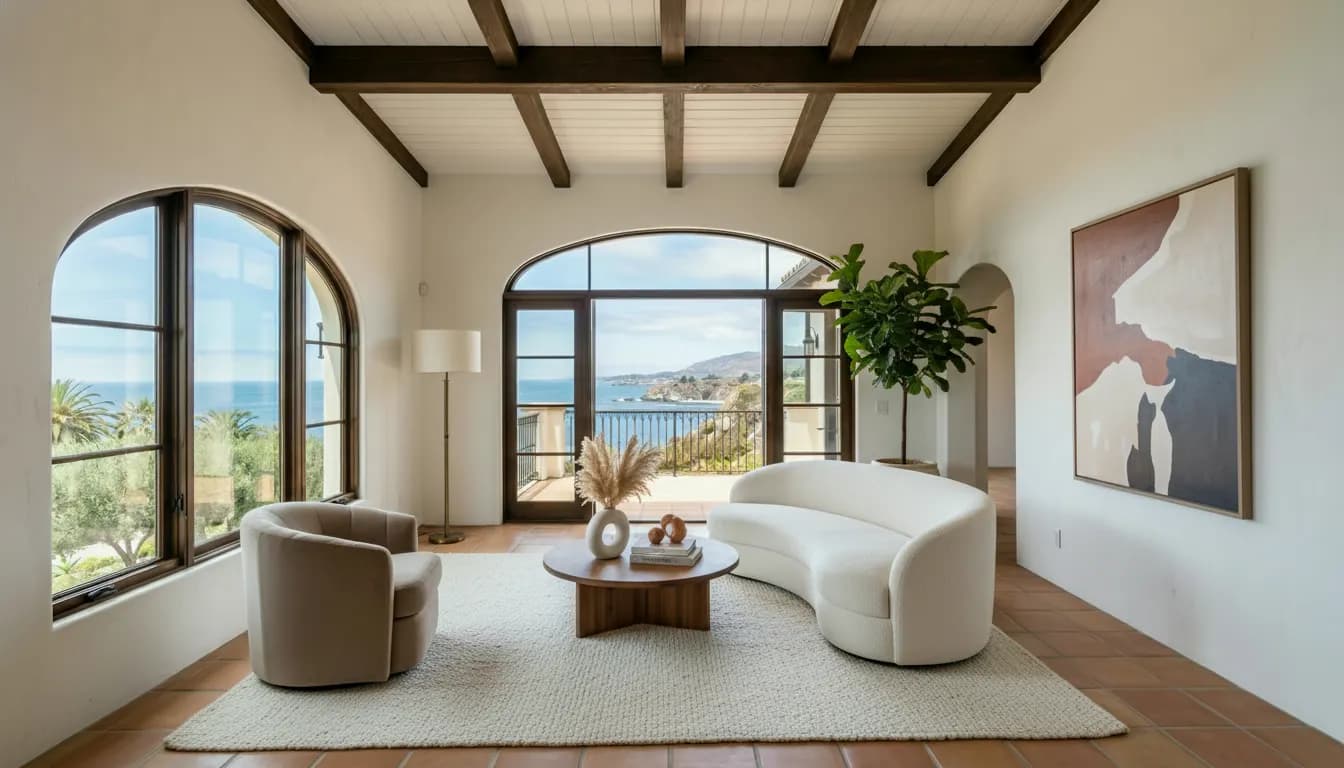
Try AI Room Redesign Free
DrivewAI's staging and redesign tool is free to try — your first redesign every month is on the house. Upload a photo of any room and see a first result in under 60 seconds; paid credits unlock manual style picks and edit controls like wall paint and built-in fixture removal.
If you're serious about redecorating and want to iterate through multiple styles and variations, a $9.99 5-pack unlocks the comparison set for a specific room, and the Pro plan at $99.99/month covers unlimited renderings — enough to comprehensively test every room in your home.
For deeper context on how AI-generated room imagery compares to traditional interior design and virtual staging, see our guides on virtual staging before and after results and how virtual staging costs compare to traditional methods.
About the author
Noah James
Founder, DrivewAI
Noah James is the founder of DrivewAI, an AI home visualization platform that helps homeowners, contractors, and real estate agents preview renovations before committing. He built DrivewAI to close the gap between inspiration and execution in home improvement.
His writing focuses on practical renovation decision-making, material comparisons, and how AI visualization tools are changing the way people plan projects — from driveway replacements to full interior staging.
See your home transformed by AI
Upload a photo and get AI renderings across all styles. First one free.
Try DrivewAI Free