AI Kitchen Redesign: Preview 7 Styles in 60 Seconds
By Noah James
• 9 min read • Founder, DrivewAI
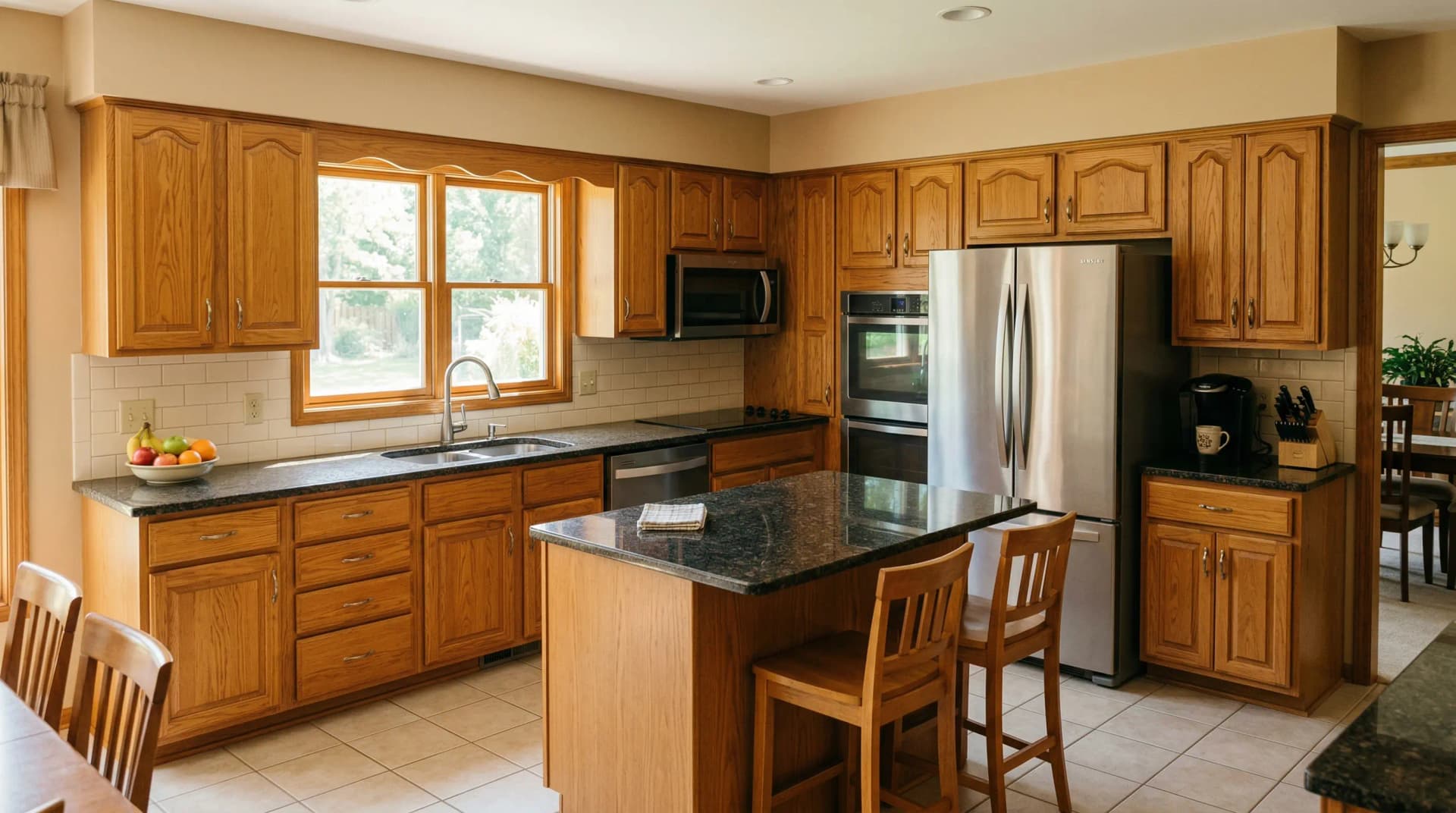
Kitchen renovations are the most expensive room remodel in the average home — and the hardest to undo. The national average for a mid-range kitchen remodel is $26,790 according to the National Kitchen & Bath Association, and a major renovation can push past $75,000. Cabinet refacing alone runs $4,000 to $10,000. Every decision — cabinet color, backsplash material, hardware finish — is a commitment that will define how your kitchen looks and feels for the next decade.
That's the problem AI kitchen redesign solves. Instead of choosing cabinet colors from a 2-inch paint swatch or scrolling through Pinterest kitchens that look nothing like yours, you upload a single photo of your actual kitchen and see exactly how it would look in 7 different designer styles — in under 60 seconds.
We just launched DrivewAI's kitchen redesign tool, and this post breaks down how AI kitchen visualization works, who it's for, and why it changes the way homeowners and professionals approach kitchen design.
How AI Kitchen Redesign Works
Traditional kitchen design tools — software like 2020 Design or Chief Architect — require you to build a 3D model of your kitchen from scratch. You measure every wall, cabinet, and appliance, then manually apply materials and finishes. Professional designers spend hours on this process, and the result still looks like a computer rendering, not a photograph.
AI kitchen redesign takes a fundamentally different approach. You upload a photo of your kitchen — shot from any angle with your phone — and the AI does three things:
1. Analyzes your layout. It identifies every cabinet, countertop, appliance, sink, island, window, and structural element. These positions are locked and won't change. 2. Isolates what can be restyled. The AI separates the elements that define visual style — cabinet finish, backsplash, hardware, lighting, countertop material — from the structural layout. 3. Generates a redesign. Based on the style you select, the AI replaces only the style elements with a photorealistic rendering. Same layout, same appliance positions, completely new aesthetic.
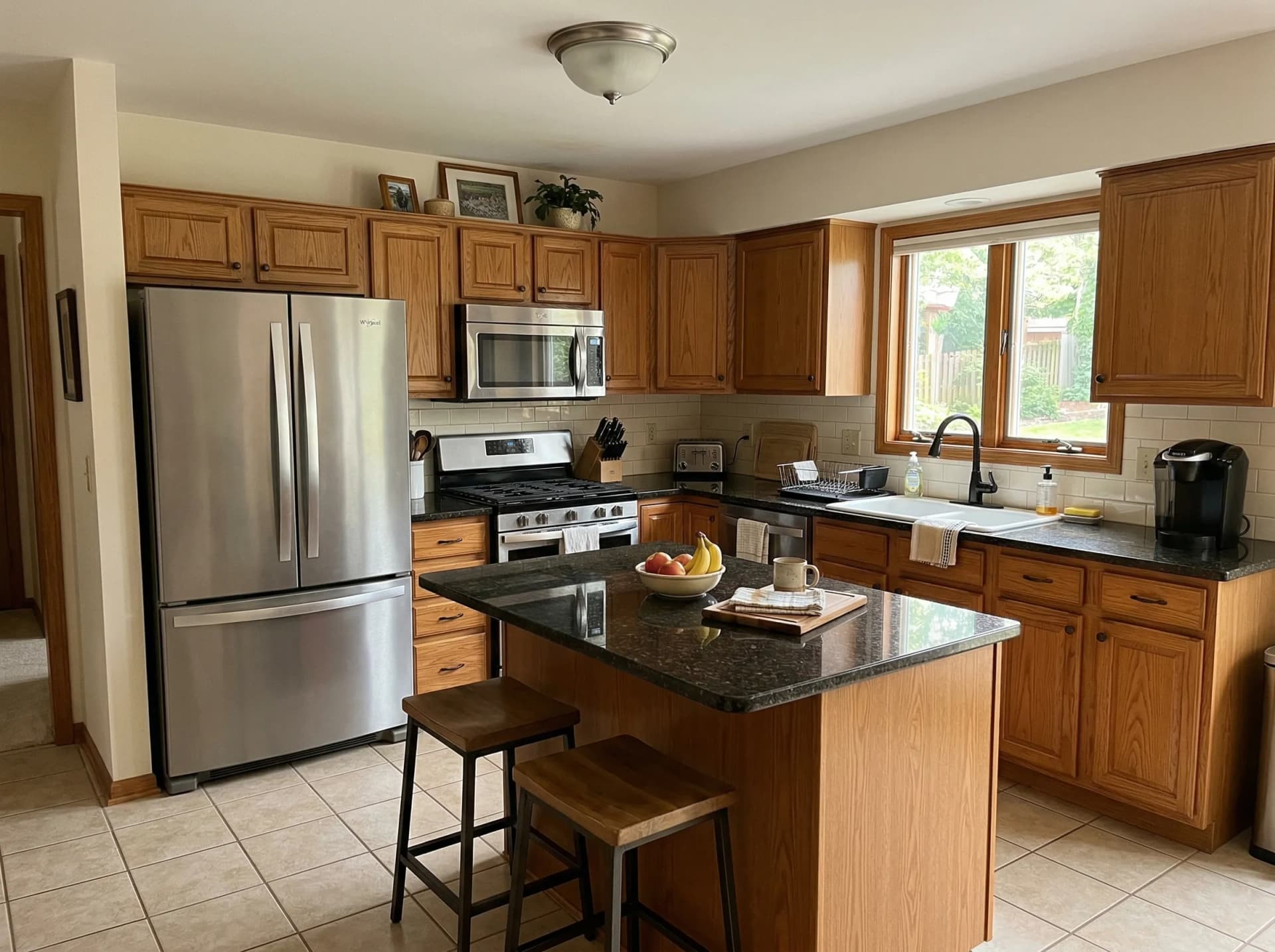
The result is a before-and-after image of your actual kitchen with a new design applied. Not a generic rendering of someone else's kitchen. Your cabinets, your layout, your lighting — with a new look.
8 Kitchen Styles You Can Preview
One of the biggest advantages of AI visualization is comparing multiple styles on the same kitchen in minutes. DrivewAI's kitchen redesign tool includes 7 curated design styles:
Modern White — Crisp matte white flat-panel or shaker cabinets. White quartz or marble-look countertops with subtle veining. Large-format porcelain slab backsplash. Matte black or brushed nickel hardware. Clean, bright, and timeless — the most requested kitchen style in America.
Warm Natural Wood — White oak or light walnut cabinet fronts with visible grain. Zellige or terracotta-toned backsplash tile. Brushed brass hardware. Organic, tactile, and collected — the antidote to the all-white kitchen.
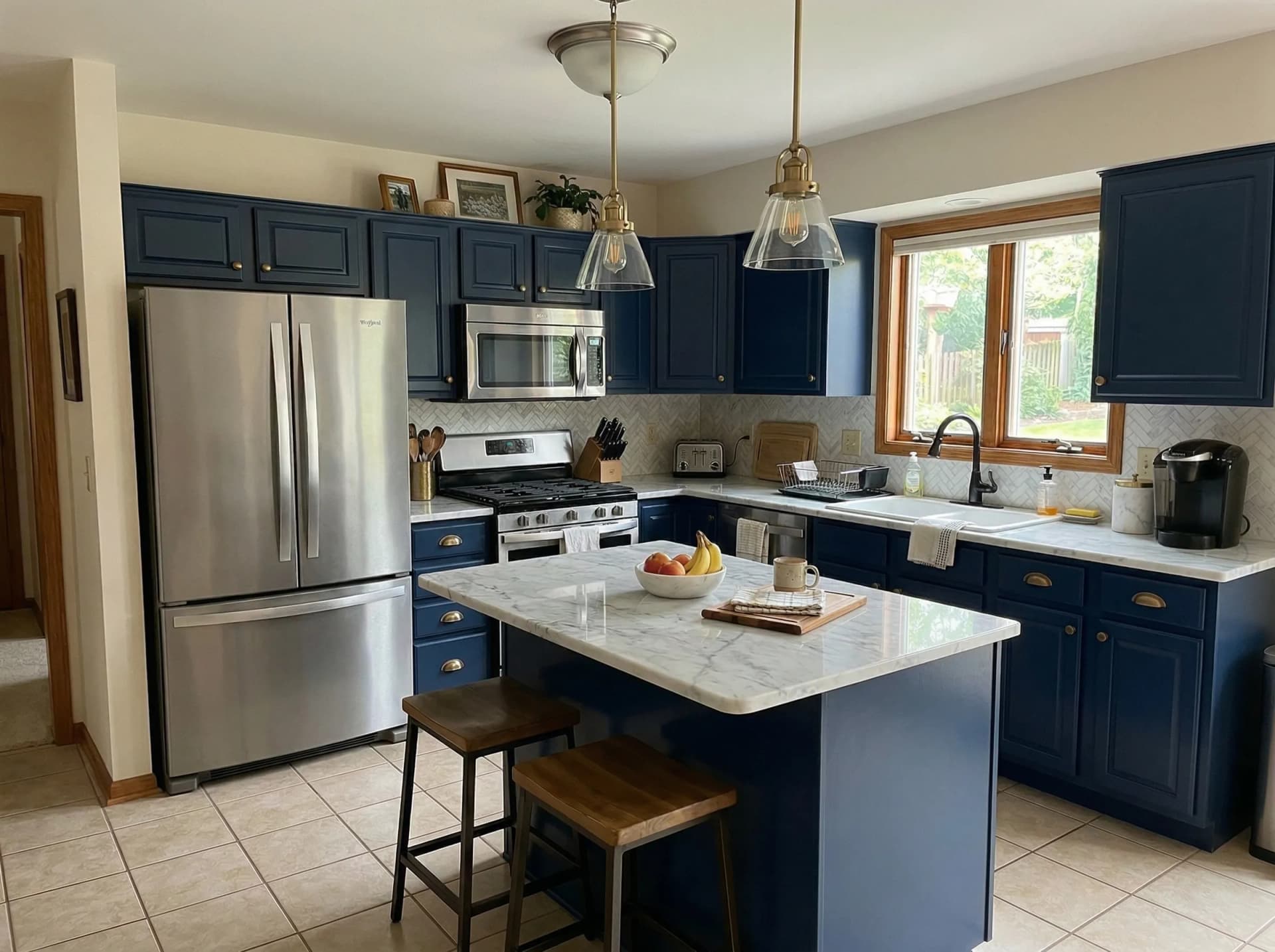
Navy & Brass — Deep navy blue painted shaker cabinets with aged brass cup pulls. White marble countertops and herringbone backsplash. Rich, sophisticated, and classic — adds serious weight to any kitchen.
Scandinavian Minimal — Light birch or pale ash cabinets with handleless push-to-open fronts. White composite countertops. Open shelving with curated items. Bright, airy, and calm.
Modern Farmhouse — White shaker cabinets with beadboard details. Honed marble countertops. Classic subway tile backsplash. Matte black bin pulls and iron pendant lights. Warm, welcoming, and distinctly American.
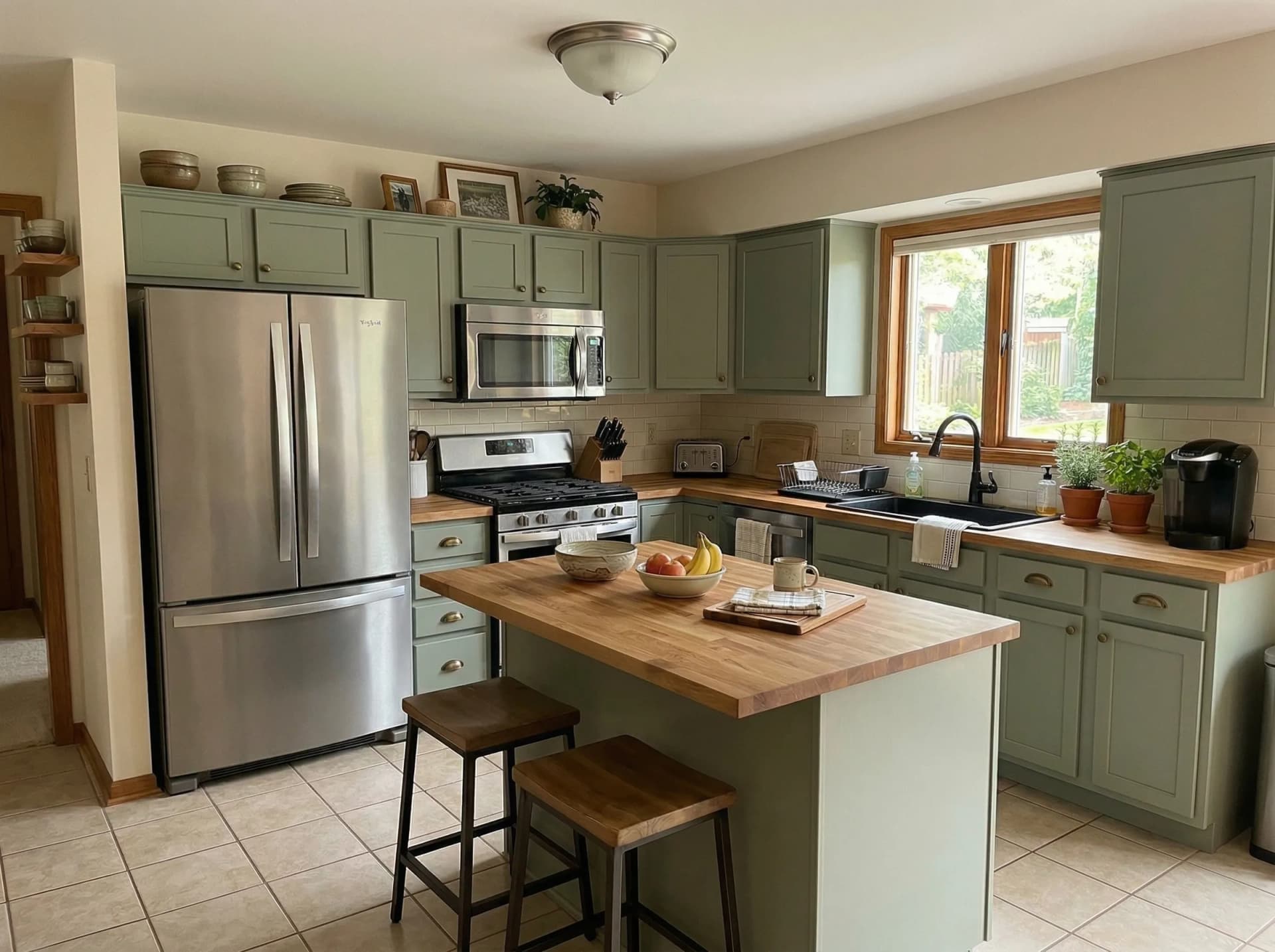
Sage Green — Muted sage green painted cabinets with brushed brass hardware. Butcher block or white quartz countertops. Earthy, calming, and one of the fastest-growing kitchen color trends in 2026.
Industrial Modern — Dark charcoal or black flat-panel cabinets. Concrete-look countertops and exposed brick or dark subway tile. Matte black fixtures throughout. Raw, bold, and urban.
Mediterranean — Warm cream cabinets with raised-panel or arched door details. Travertine countertops and hand-painted patterned tile backsplash. Wrought iron hardware. Sun-washed, rustic, and romantic.
Each style generates a photorealistic rendering that preserves your kitchen's exact layout. You're comparing design options, not imagining them.
Who Benefits From AI Kitchen Visualization
Homeowners Planning a Renovation
This is the primary use case. If you're about to spend $15,000 to $75,000 on a kitchen remodel, seeing the finished result before committing to a cabinet color eliminates the most stressful part of the process.
Most homeowners choose kitchen finishes based on showroom samples or contractor suggestions. A 2-inch paint swatch looks nothing like 30 square feet of cabinetry in your actual lighting. AI visualization shows you the full picture — and lets you compare it against 7 alternatives before you make a single purchase.
It's also invaluable for couples and families who can't agree on a direction. Instead of arguing over swatches, you both look at your kitchen rendered in sage green, then in navy, then in natural wood — and the conversation shifts from abstract preference to concrete comparison.
Kitchen Designers and Contractors
Contractors spend hours creating mood boards and material samples for client presentations. AI kitchen visualization compresses that to seconds. Upload the client's kitchen photo, generate 3-4 style options, and walk them through the results during the consultation.
The renderings also reduce the most expensive problem in kitchen renovations: mid-project change orders. When a client sees exactly what their kitchen will look like before demolition begins, they're far less likely to change their mind after cabinets are ordered.
Real Estate Agents and Flippers
Dated kitchens are the number one reason buyers negotiate price down. According to the National Association of Realtors' Remodeling Impact Report, kitchen renovations recover 75% of their cost at resale, and kitchens are the single most important room for buyer perception.
AI kitchen renderings let you show buyers what a kitchen *could* look like after a renovation — without spending the $30,000 to do it first. Include a rendering in your listing photos with a caption like "kitchen redesign concept" and buyers see potential instead of problems.
AI Kitchen Redesign vs. Traditional Design Tools
The kitchen design software market is dominated by tools built for professionals — 2020 Design, KD Max, and Chief Architect all require manual 3D modeling and a steep learning curve. Here's how the approaches differ:
| Feature | Traditional Software | AI Photo-Based Tools |
|---|---|---|
| Input required | Manual 3D modeling | Single photo upload |
| Time to first result | 2–8 hours | Under 60 seconds |
| Learning curve | Steep (weeks) | None |
| Output realism | Depends on skill | Photorealistic |
| Uses your actual kitchen | Requires measuring | Always |
| Cost | $100–$300/month | $0–$15/month |
Traditional tools produce precise, cabinet-by-cabinet specifications. They're essential for fabricators building custom cabinetry. But for the design decision phase — "should I go with sage green or navy blue?" — AI photo-based tools answer the question in a fraction of the time and cost.
What AI Kitchen Redesign Costs
The cost gap between AI visualization and traditional kitchen design is significant:
- Professional kitchen design consultation: $500–$5,000 depending on scope and designer, with most designers charging $65–$250 per hour - Kitchen showroom rendering: $200–$500 per concept, typically limited to one or two options - AI kitchen visualization: Free to $15/month
DrivewAI offers a free monthly render across all products — driveway, staging, landscaping, kitchen, and exterior. That means you can preview how your kitchen would look for $0, no credit card required. If you want the comparison set, edits, and project tools, unlock a $9.99 5-pack or go Pro at $99.99/month for unlimited renderings.
Compare that to the cost of ordering a single set of cabinet samples — DrivewAI lets you see all 7 styles on your actual kitchen for less than a latte.
How to Get the Best Results
A few tips for getting the most realistic AI kitchen renderings:
Photograph in good light. Turn on all kitchen lights and shoot during the day if you have windows. The AI works with the lighting in your photo — bright, even lighting produces the sharpest results.
Capture the full kitchen. Step back far enough to include the upper cabinets, countertops, and backsplash in one frame. The AI needs to see the full context to produce a realistic rendering. If your kitchen is too large for one photo, focus on the wall or section you care about most.
Try multiple styles. The entire point of AI visualization is speed. Don't stop at the first style that looks good. Run your photo through 4–5 different styles and compare them side by side. Homeowners who come in certain they want Modern White frequently discover they prefer Warm Natural Wood or Navy & Brass once they see it on their actual cabinets.
Share the results. Download the before-and-after images and bring them to your designer or contractor consultation. These renderings are the most effective brief you can hand someone — they show exactly what you want, in your exact kitchen, eliminating hours of back-and-forth over samples and swatches.
The Bigger Picture: AI Home Visualization
Kitchen redesign is the newest addition to DrivewAI's AI home visualization platform. The same technology powers driveway redesign (6 premium materials), interior staging (6 design styles), and landscaping redesign (8 landscape styles).
The pattern is the same across all four products: upload a photo, choose a style, and get a photorealistic rendering in under 60 seconds. No design skills required. No software to learn. No contractor appointment to schedule.
Whether you're planning a full home renovation — new kitchen, new driveway, new landscaping, staging for a sale — or just curious about what your kitchen would look like in sage green, the tools are free to try.
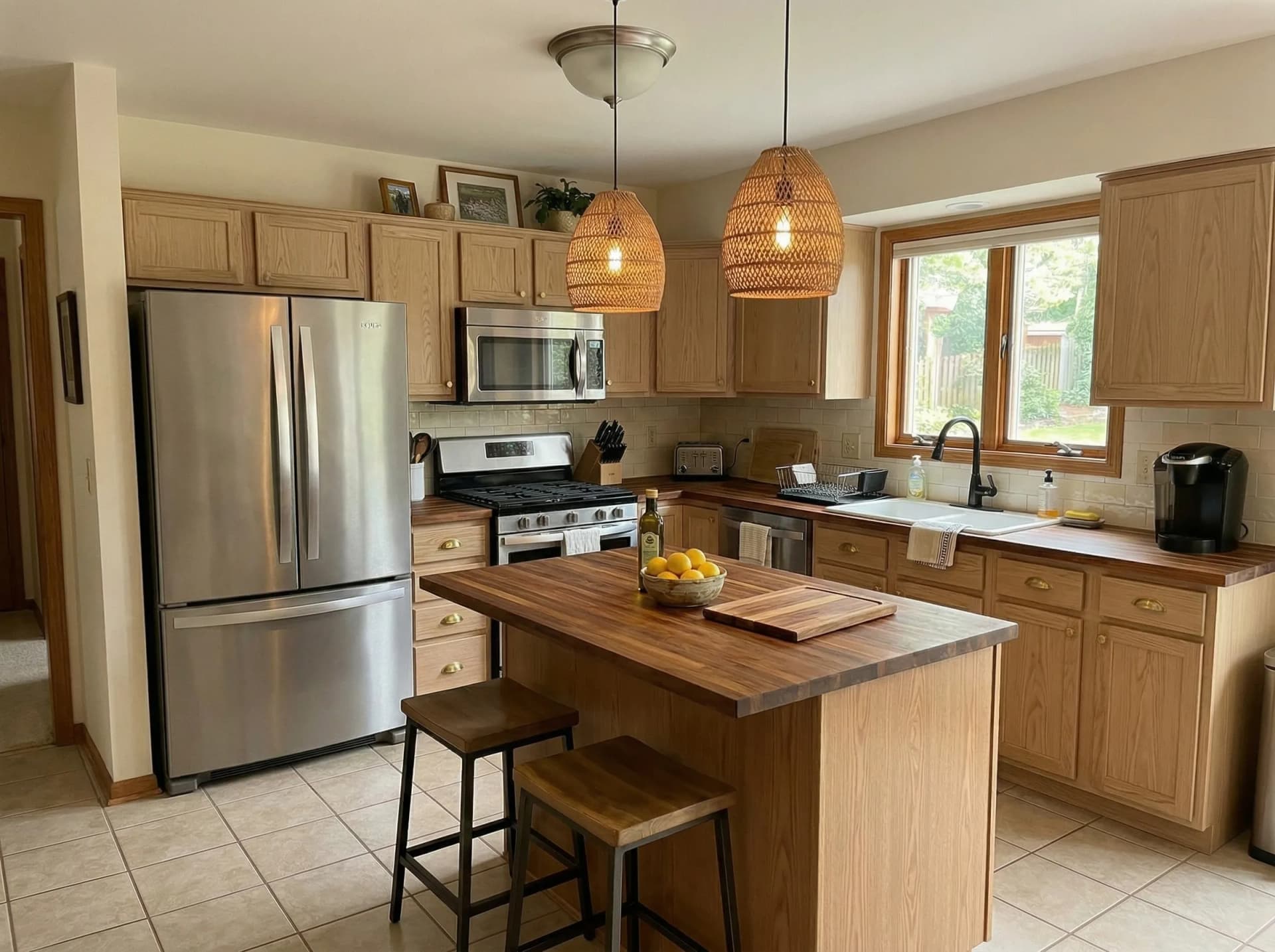
Try It Now
Upload a photo of your kitchen and see the results for yourself. DrivewAI's kitchen redesign tool is live now with all 7 styles available. Your free monthly render is included — no credit card, no commitment, no catch.
If you've been putting off a kitchen renovation because you weren't sure what direction to take, this is the fastest way to find out. See the result before you spend the money.
About the author
Noah James
Founder, DrivewAI
Noah James is the founder of DrivewAI, an AI home visualization platform that helps homeowners, contractors, and real estate agents preview renovations before committing. He built DrivewAI to close the gap between inspiration and execution in home improvement.
His writing focuses on practical renovation decision-making, material comparisons, and how AI visualization tools are changing the way people plan projects — from driveway replacements to full interior staging.
See your kitchen restyled by AI
Upload a photo and get AI renderings across all styles. First one free.
Try DrivewAI Free